
Lead scoring is the process of assigning a points value to the actions your contacts take, so you can quickly see how warm a lead is. Force24 applies lead score automatically when a contact performs an action, then removes it 30 days later. This article explains how lead score points work and how to edit your lead score values.
How do lead score points work?
Each action that awards lead score points stays active for 30 days. Every action expires on its own schedule, 30 days after it happened.
For example, if actions A and B each award 2 points:
- Day 0: the contact has 0 points.
- Day 1: Action A is taken, bringing their score to 2 points.
- Day 4: Action B is taken, bringing their score to 4 points.
- Day 31: Action A expires, reducing their score to 2 points.
- Day 34: Action B expires, bringing their score back to 0 points.
Which actions can I score?
Force24 lets you apply lead score values to the following engagements:
- Email opens
- Email and SMS clicks
- Web page visits
- Repeat web page visits
- High value page visits
- Goal URL visits
Where do I find my lead score settings?
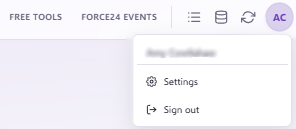
- Go to the Account Settings page.
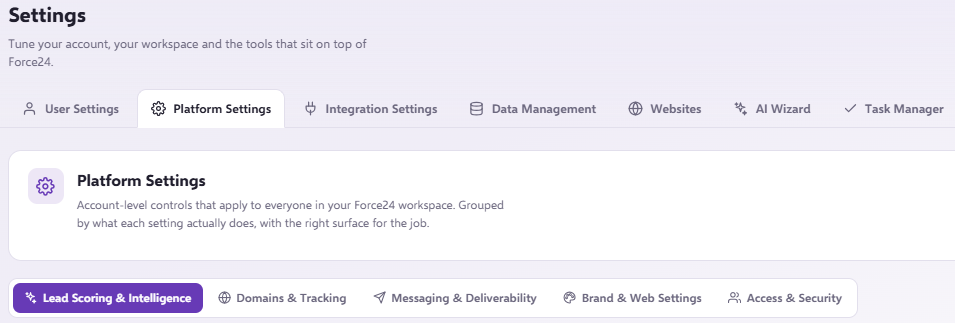
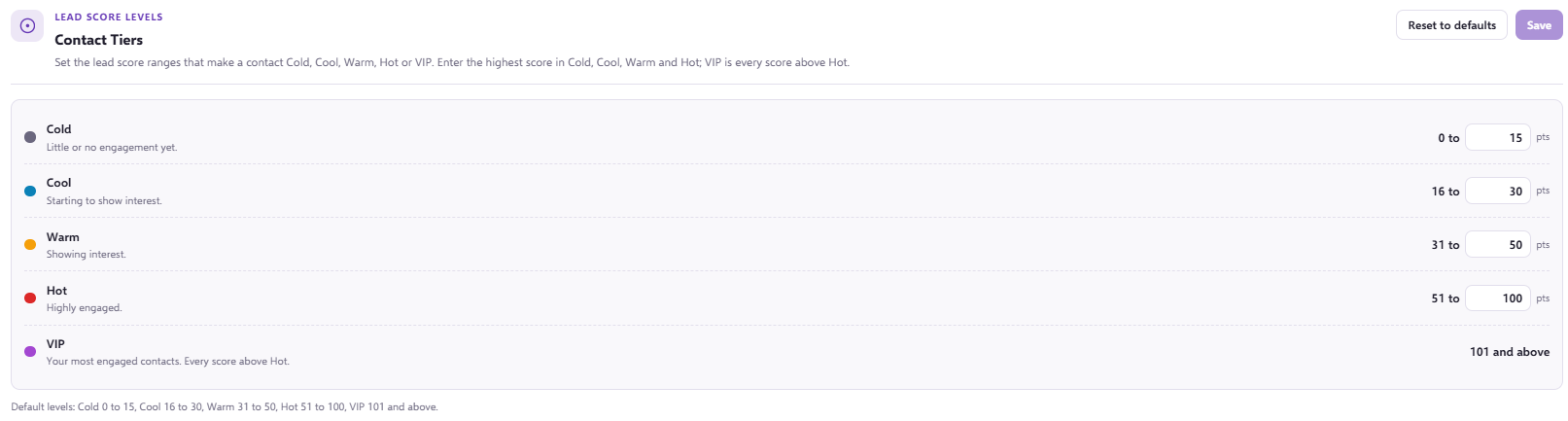
- Scroll down to the section titled Lead Scoring. Here you will see the values that were set up with your account.
Tip
To keep the focus on web engagement, give lower value actions, such as email opens, lower scores. Your Force24 Account Manager can advise on the best approach.
How do I edit my lead score values?
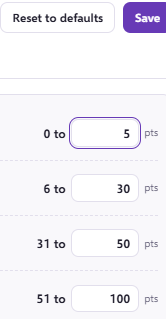
You can alter the scores by changing the number in the white box then clicking 'Save' or 'Reset to defaults' if needed.
Please note
Changes to lead score values only apply to future engagement. Existing lead scores stay as they were, based on the values in place when they were calculated.
Want to get more from lead scoring?
These articles are a good place to start:
- If you want to design a scoring approach that works for you, learn more in our Tips on building a lead scoring system article.
- If you want to focus on the metrics that matter, learn more in our How to move beyond vanity metrics and track what really matters article.
Need a hand?
If you have any questions, reach out to us on live chat using the chat bubble at the bottom right of your Force24 platform. Our team is happy to help.