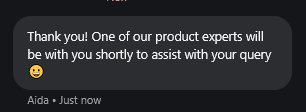
Our live chat team is available Monday to Friday, 09:30 to 16:30 UK time. Getting in touch with the team is easy.
When you're logged into the Force24 platform, you'll find a lilac circular chat button in the bottom-right corner of the screen:

Click the chat button to see the available options, including the Support Hub, support tickets, training, product updates, platform status and live chat:
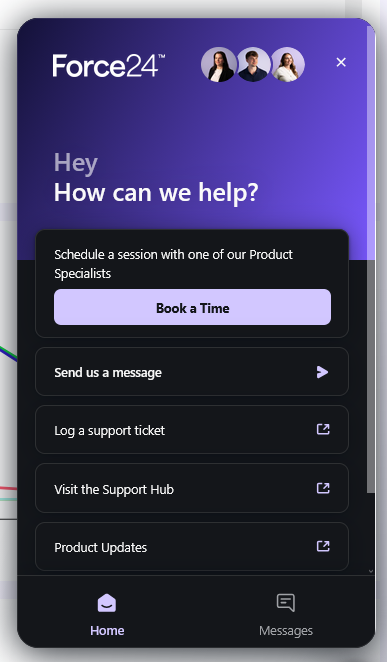
To start a chat, click Send us a message. This will open a conversation with Aida, our AI chat assistant.
Aida can use information from the Support Hub and previous support conversations to help with a wide range of questions. She's available 24/7, so you can get help with quick questions even outside our live chat team's hours.
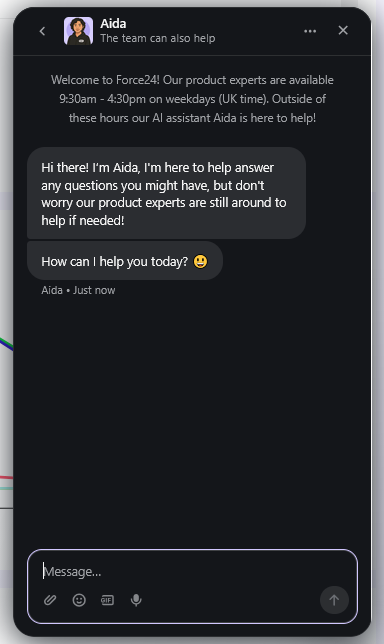
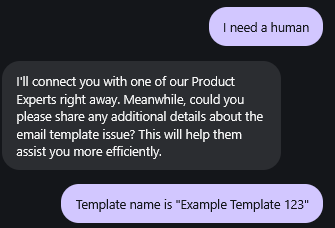
If you'd rather speak to a member of the team, or need a human to check something, just ask Aida to connect you to a human. When Aida asks for some details about your question, provide the information requested. If you've already given all the relevant details, you can simply say that there are no more to provide.
Aida will then pass the conversation to the live chat team, provided it's within our live chat hours.
You may also see That helped and No, I still need help buttons after Aida has answered your question. If you select No, I still need help, you'll also be given the option to speak to a member of the team.

Once you've been connected to the live chat team, you can typically expect a response within 5 minutes.