
It's recommended practice to use automated engagement lists to help target your most engaged contacts, helping to aide conversion and deliverability.
A common strategy for this is having tiered engagement lists to capture contacts that last engaged within defined windows of time, e.g. engaged in the last 30 days, engaged 30-60 days ago, or engaged 60+ days ago (unengaged). It's crucial when setting up lists like this that your criteria are set correctly, to ensure data is segmented properly and to prevent any overlap between lists.
This article will explain how best to formulate your queries when building these engagement lists.
If you've never created an automated list before, it might be best to start with this article: Automated marketing lists : Force24 Support
For the examples below, we will be looking for contacts that have either clicked or had web activity as signs of engagement, but you can use any combination of the available rules including email opens, if desired. For the specific time frames we will be using 30 day increments, but you can replicate this using different lengths of time depending on your industry/audience/buying cycle etc.
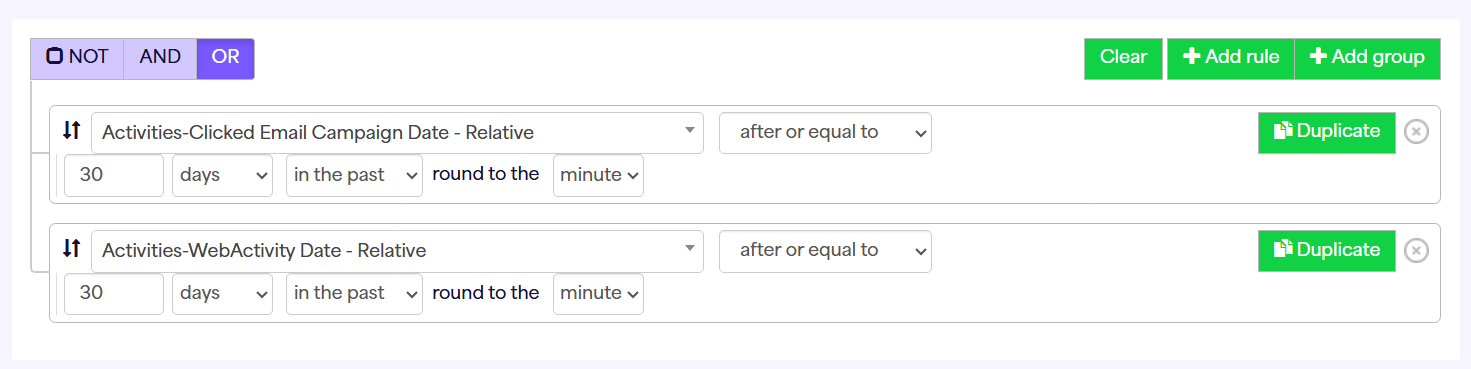
Engaged last 30 days:
This criteria is nice and simple. We are just looking for anyone who has clicked or had web activity in the last 30 days, using the date relative activity rules:
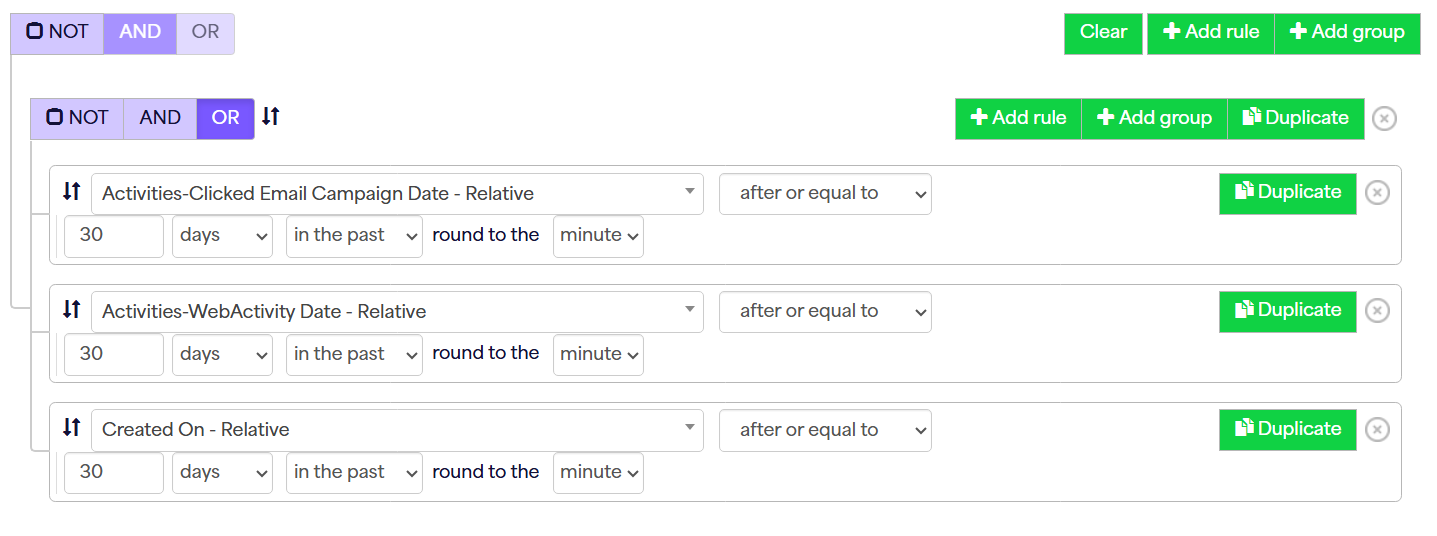
Depending on how contacts are created in your Force24 account, you may want to include new contacts that haven't had a chance to engage in this initial list, before pushing them into the different tiers. To do this you can simply add an extra rule to also look for anyone created in the last 30 days, regardless of engagement - this means you can prioritise new contacts alongside your actively engaged ones:
Engaged 30-60 days:
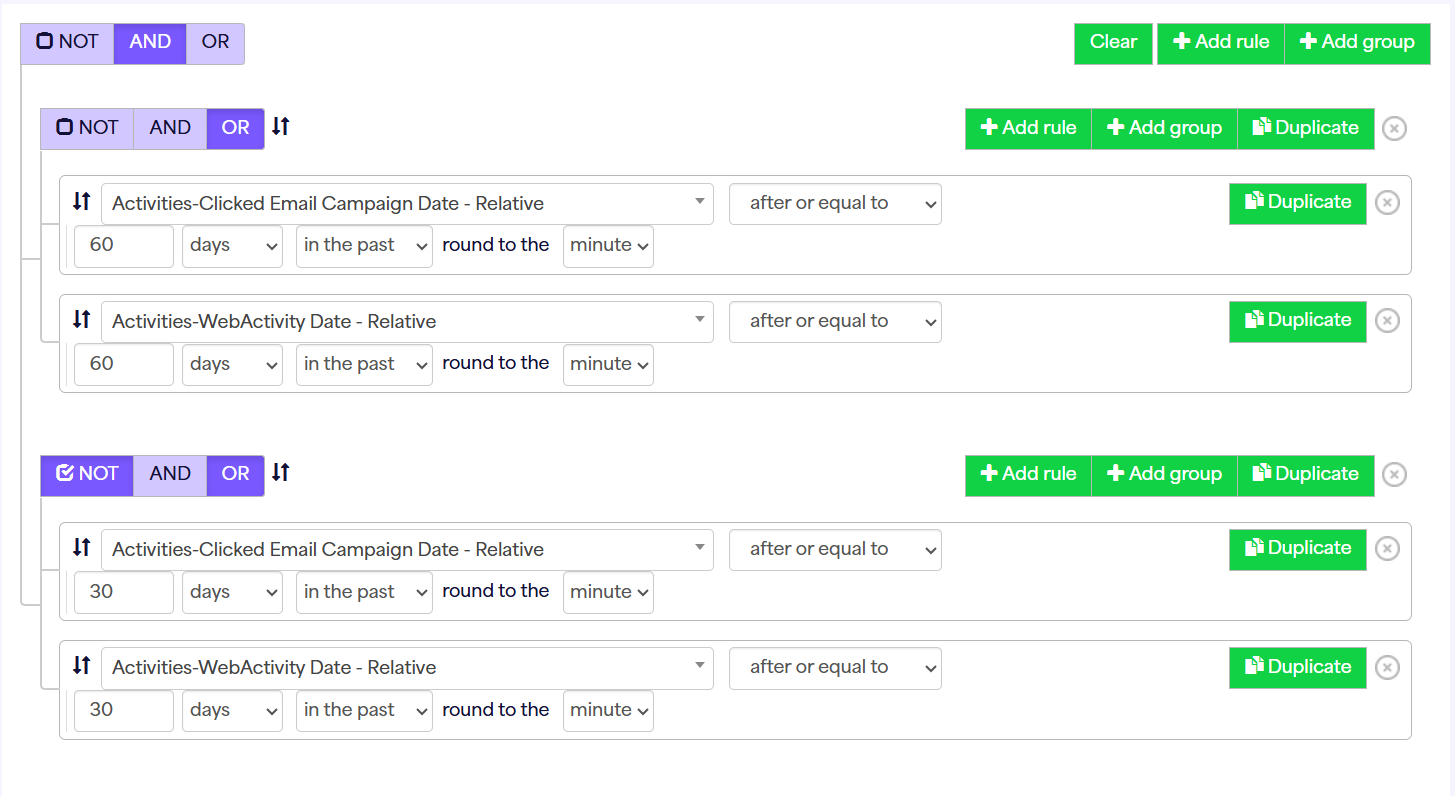
For this list, we need to be a bit more careful. Firstly, what we don't want to do is look for contacts that have simply engaged 'between 30 and 60 days ago', as this does not exclude contacts in the "Engaged last 30 days" list - ideally your lists should be mutually exclusive.
The best way of writing this query is to look for contacts that have engaged in the last 60 days but NOT in the last 30 days, hence excluding the 30 day engagement list correctly:
You can then repeat this same structure if you are wanting further engagement tiers, for example Engaged 60-90 days, Engaged 90-120 days etc. until you have your final "unengaged" list.
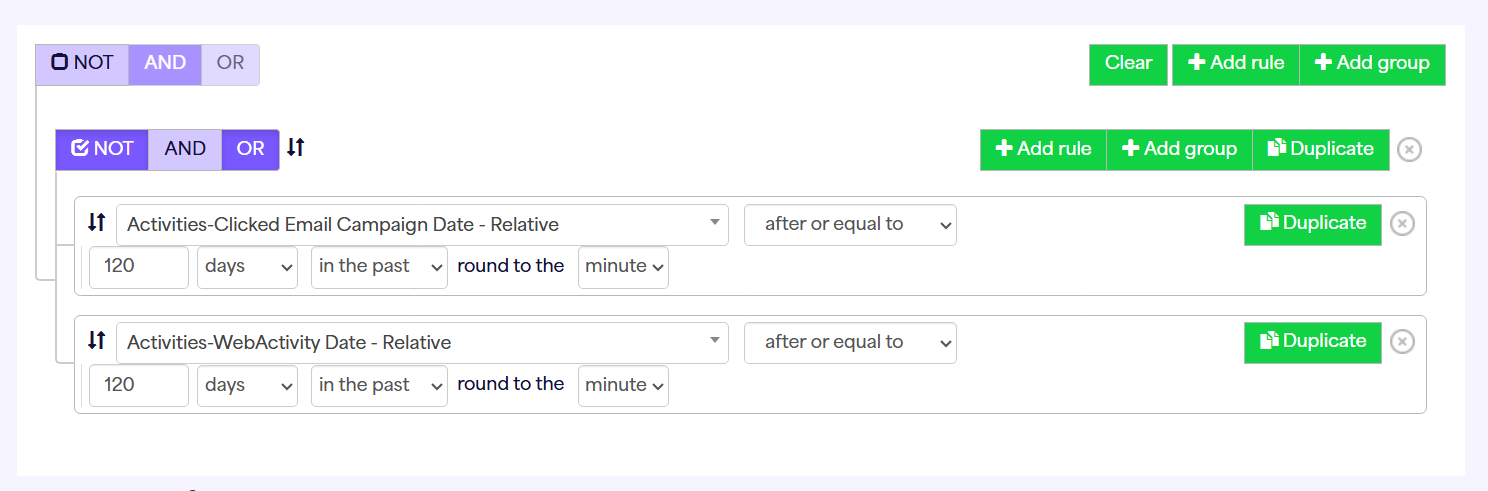
Unengaged / Not Engaged last 120 days
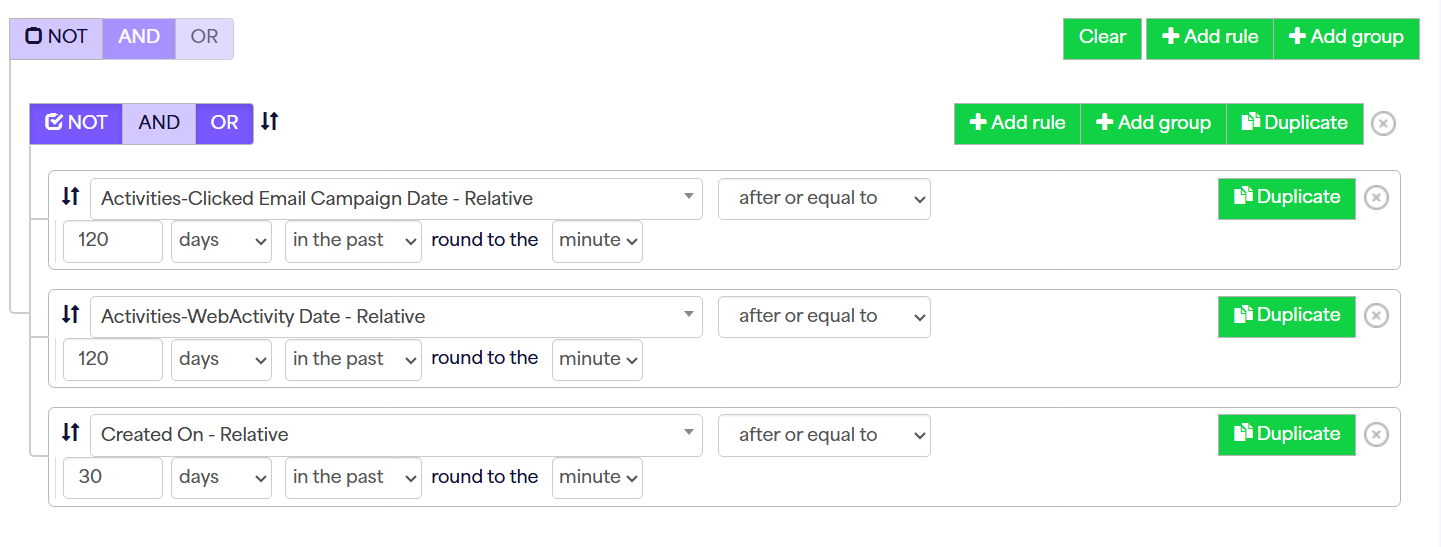
Here we can do a more simple query like the first list, but using the NOT option to look for anyone who has not engaged at all in the last 120 days:
If you have opted to add the "created on - relative" rule in your first list, you would also need to ensure those contacts are excluded from this final list - e.g.:
You can use these queries as guides when creating your own engagement lists, combining them with your own additional criteria if needed.
If you require any further assistance building out your engagement list rules, please don't hesitate to reach out to support via our live chat or 1-1 training.