
If we've helped you to fix a snippet or template you were having issues with recently, it’s the perfect time to set yourself up for smooth, consistent campaigns in the future. A little housekeeping now ensures you’re always building from clean, reliable components.
Start From a Strong Foundation
It's best to work from the best starting point you can:
- Duplicate from an email template you know is working perfectly
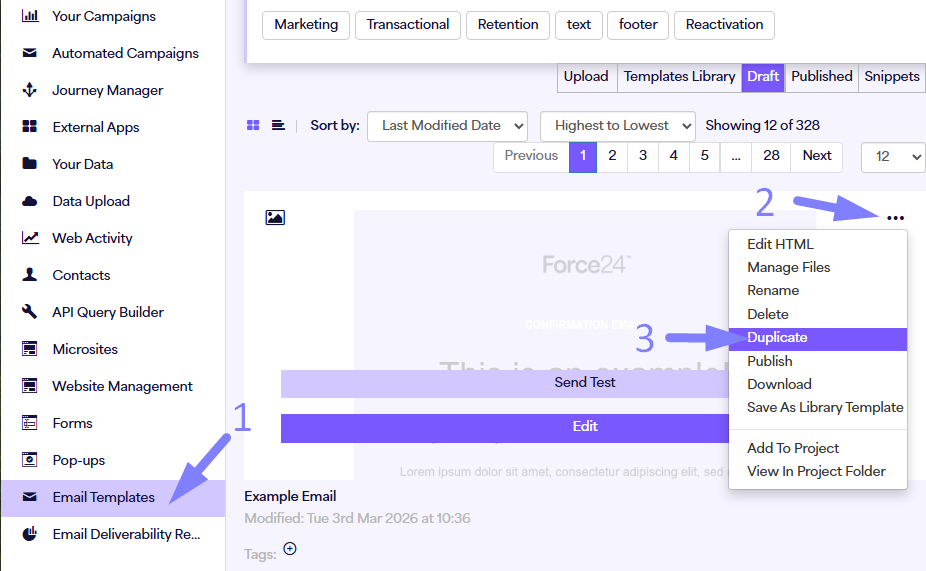
- Or use a base Force24 template from Email Templates > Templates Library
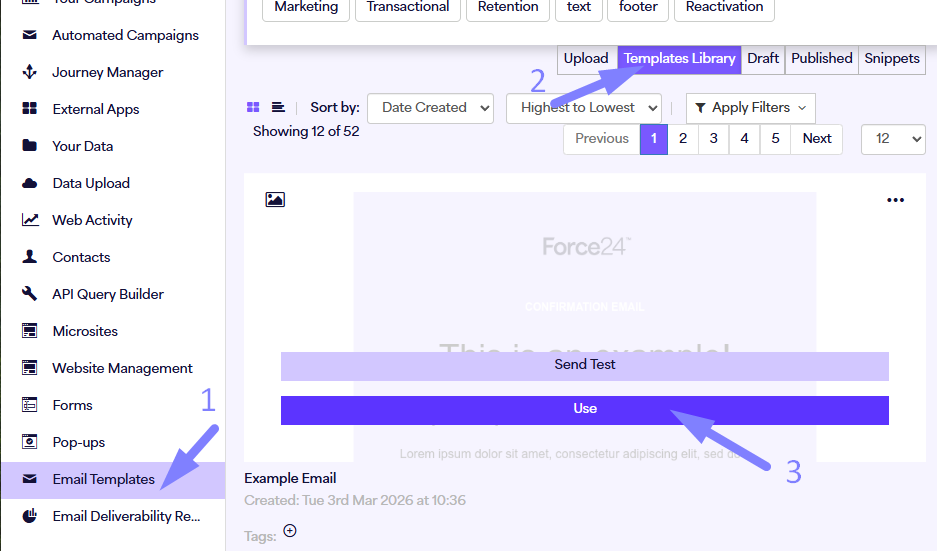
Starting from a known-good template gives you a solid HTML structure, so every new email is built on a strong, reliable foundation.
Make Your Snippets Work for You
Snippets are saved exactly as they were when you clicked Save, and those are the ones that appear in your snippet library to drag out into emails. Editing a snippet inside one email doesn’t update it elsewhere - bulk updating emails could cause large-scale issues.
To make sure your snippets always work:
- Delete old, broken snippets from the Snippets tab
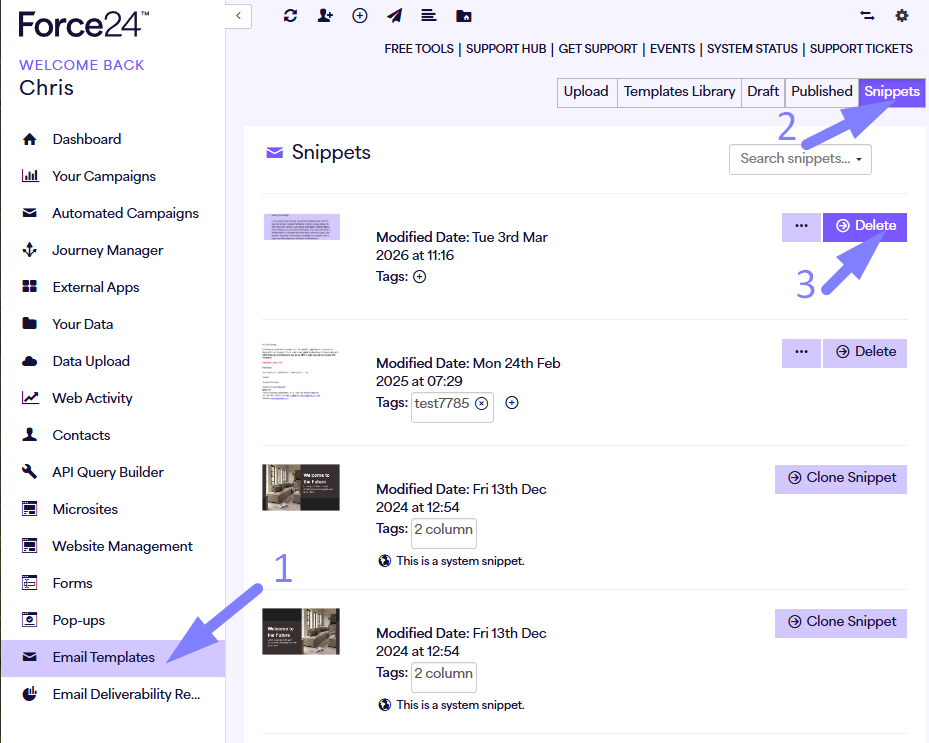
- Open a fixed email, and save functional snippets that have the qualities you like
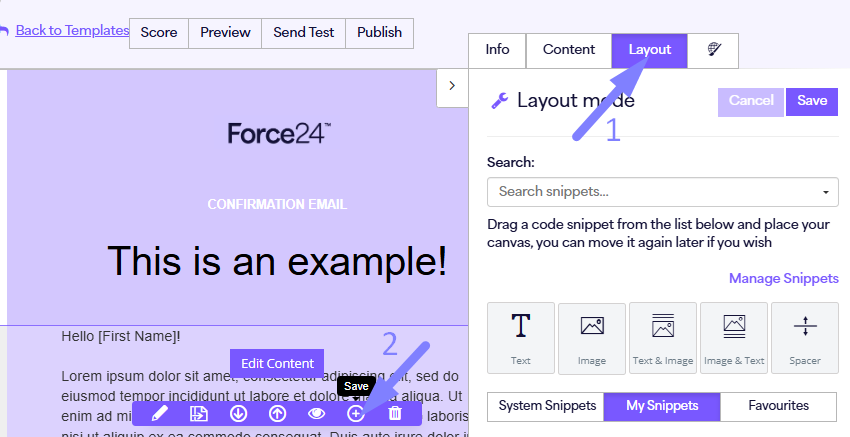
- Favourite working snippets you use repeatedly by pressing the star. They'll then appear in the Favourites menu
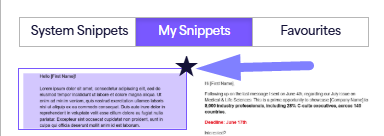
Once you replace the old snippets, you can reuse them with confidence every time.
Keep Future Builds Clean and Easy
By combining fixed templates and cleaned-up snippets, you’ll:
- Save time on every new email build
- Keep your campaigns consistent and polished
- Ensure the HTML structure is reliable every time
It’s a simple step that makes creating emails faster, easier, and stress-free.
In Summary
Use your freshly fixed templates and snippets as the starting point for all new emails. Delete broken components, favour the clean versions, and always start from a reliable template. This ensures every campaign looks professional, and you can work with confidence.