
When creating a form and using a single selection/multiple selection component, you will need to assign a value to each submission option.
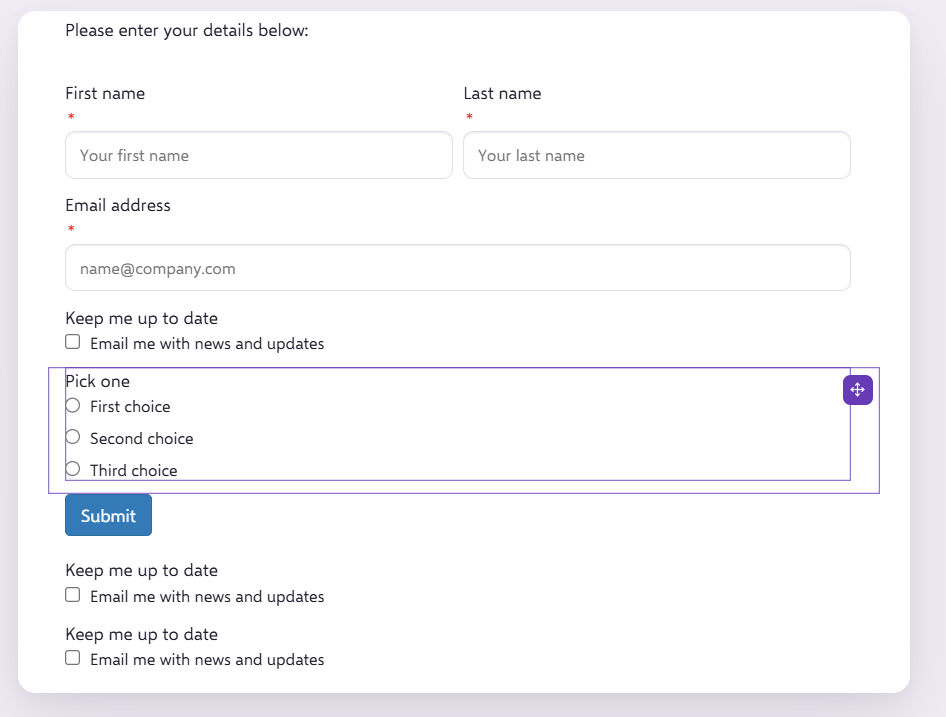
As you can see here, the Form has a single selection component:
And on the right hand side when editing this form field, we can see that each of the labels First choice, Second Choice and Third choice, have the same value assigned against them:
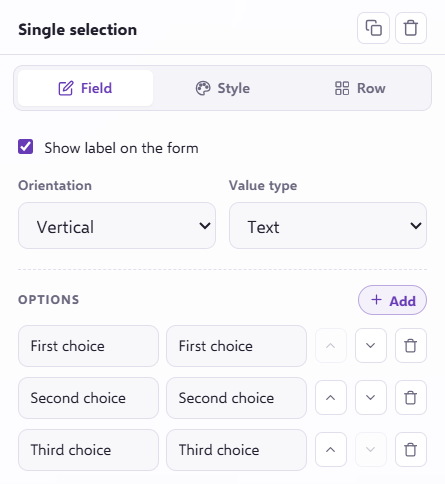
The way this is set up at the moment, each of the values is marked the same as their labels. When people submit this form and select either First choice, Second Choice or Third choice, this will be mapped back into the platform as the corresponding labels.
Then whatever this field is mapped to, either First choice, Second Choice or Third choice will appear against a contact for this field.
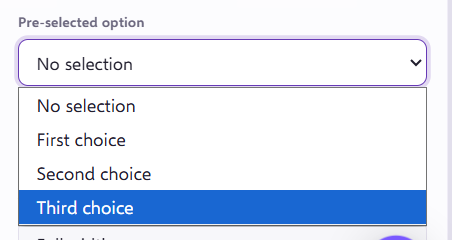
You can also select a 'Pre-selected option' which will be automatically be selected when the contact views the form:
If you have any questions, feel free to reach out to us through the live chat function available bottom right in your Force24 Platform. Our team is ready to assist you and provide support whenever you need it.