
If you need to unsubscribe every contact in a Segment in one go, you can do it in bulk from the Segment itself. This article shows you how.
Check you have the right Segment
This updates the subscription status for every contact in the Segment, so make sure you've opened the correct one before you start.
How do I mass unsubscribe a Segment?
Follow these steps to unsubscribe all of the contacts in a Segment:
- Open the Segment you want to unsubscribe, click View Members and then click Open in Contact Search.


- Click Subscriptions above the list that opens.

- Choose the Unsubscribed option for email, direct mail, SMS or WhatsApp under Channels.
Changing the Status setting under Contact Status instead completely activates or deactivates the contact.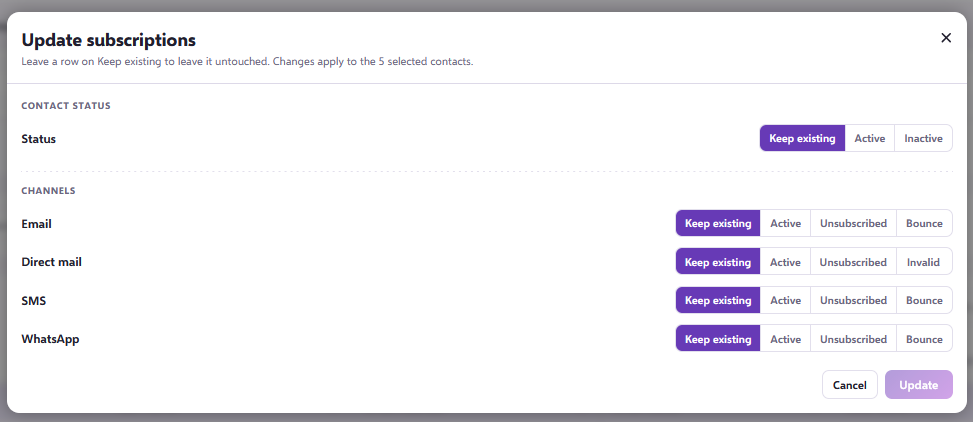
This updates the subscription status for every contact in that Segment.
Need a hand?
If you have any questions, reach out to us on live chat, using the chat bubble at the bottom right of your Force24 platform. Our team is happy to help.