
How simple decision delays differ from a normal delay component.
When using a simple decision in a journey, you will get the option to add a dynamic delay:
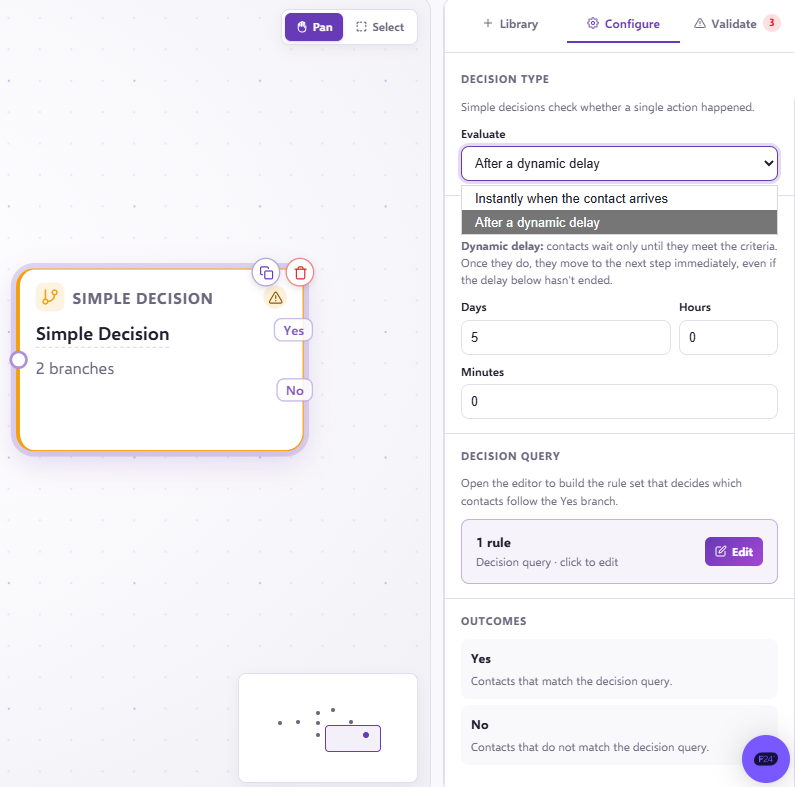
The delay in this component differs from a normal delay component, as the minute contacts meet this criteria they will advance through the YES in the make decision and onto whatever stage is linked after the 'YES' in the make decision. Contacts will only be held in this delay for the full 5 days if they do not meet the criteria in this make decision, they will continue where the NO leads.
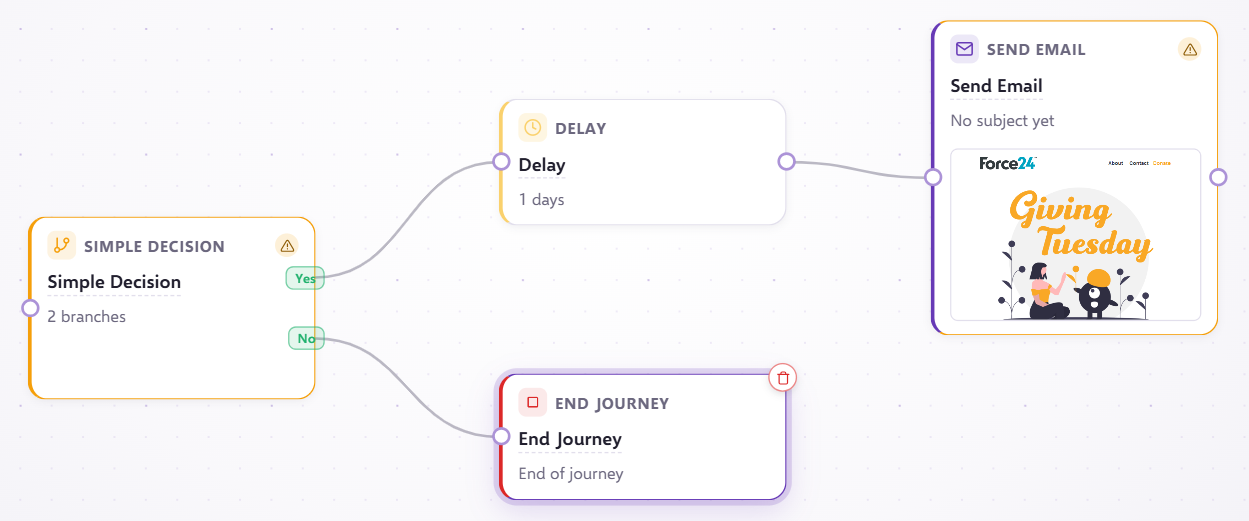
So if you want to send another email to the contacts who do meet the yes criteria in your make decision, but don't want to do this as soon as they meet the 'YES' criteria, then it would be worth adding an extra delay after the 'YES' component, like below:
If you have any questions, feel free to reach out to us through the live chat function available bottom right in your Force24 Platform. Our team is ready to assist you and provide support whenever you need it.