
If you want to remove contacts from a journey, you will need to use a simple decision component to do this. First of all, you will need to check where about in the journey the contacts you want to remove currently are.
After doing this, you will need to stop the journey so you can make the necessary changes.
Once you have taken these steps, you will need to add the decision component after the stage the contact you want to remove is currently in. So in the below example, the contacts are currently in the delay before email 3.
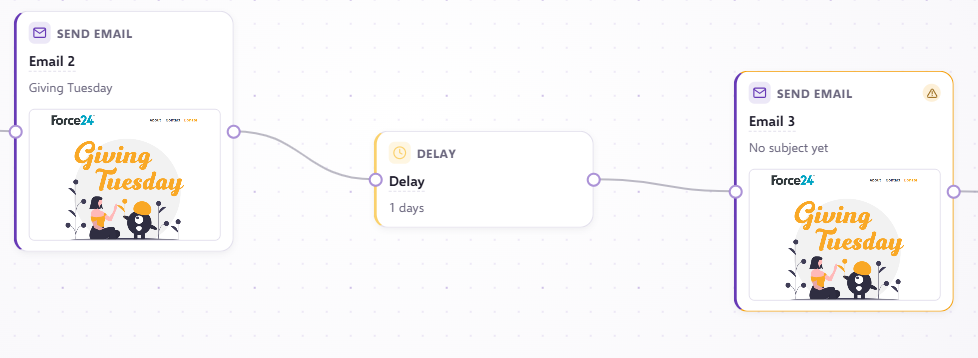
And to remove these contacts from this journey we add a make decision in between the delay and the email, like this:
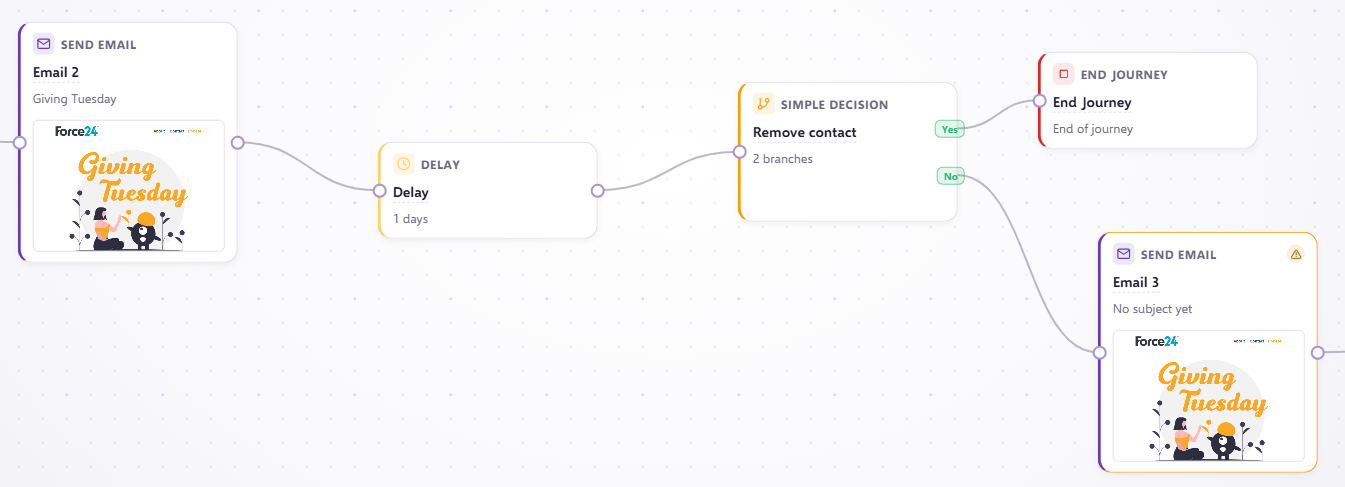
In the make decision, you can specify which contacts you want to remove. So in this example, everyone with an email address containing @force24.co.uk will be removed:
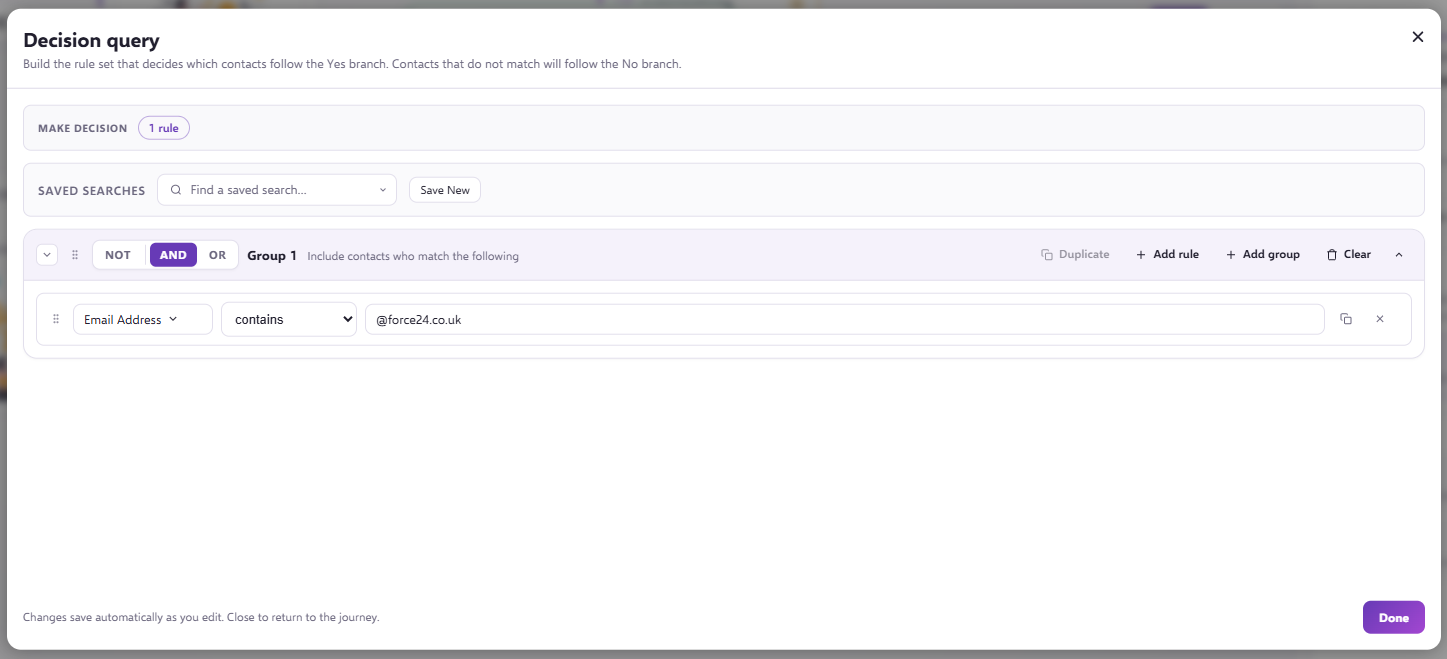
Anyone with an email containing @force24.co.uk will come out of the 'yes' component and onto an end journey component. All the other contacts will go through the 'no in the make decision and will continue through the journey as normal.
If you have any questions, feel free to reach out to us through the live chat function available bottom right in your Force24 Platform. Our team is ready to assist you and provide support whenever you need it.