
Once you have set up your genius blocks in an email template, the next step before sending this out in a live campaign/journey is to test them. For more guidance on how to set up genius blocks, please click the link below:
How to create genius blocks
The first thing you would need to do would be add yourself into a test segment. For more detail on how to do this, please click below:
How to create a test segment
The next step to test your genius block, is to ensure that your contact in Force24 is in the relevant segment that you want to test. For example, with this genius block below:
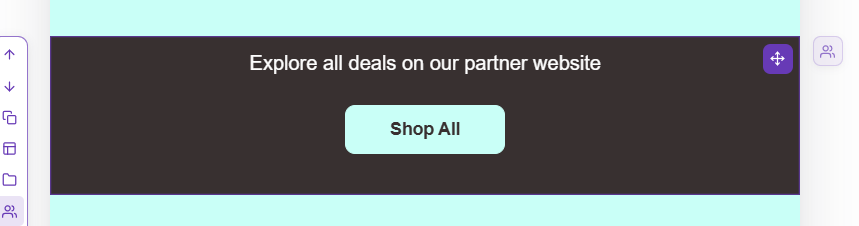
The segment for contacts who will see this section are those in the Genius Block List:
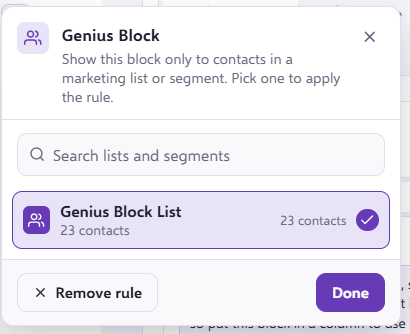
Therefore, you would need to ensure you are in the Genius Block segment to see this specific section when testing.
Once you have added yourself to the relevant segment, you will need to send yourself a test email.
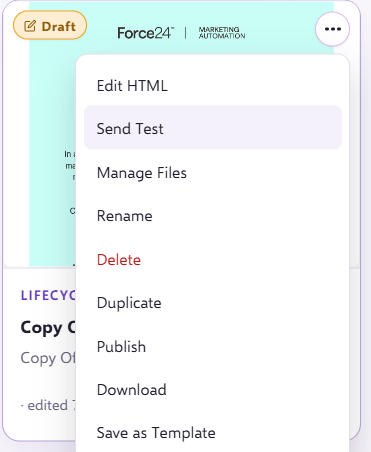
Once, the email has landed in your inbox, you will be able to see what the genius block section will look like in a live email.
If you have any questions, feel free to reach out to us through the live chat function available bottom right in your Force24 Platform. Our team is ready to assist you and provide support whenever you need it.