
To access the code editor, simply click on your snippet and head to the tab on the left-hand side:
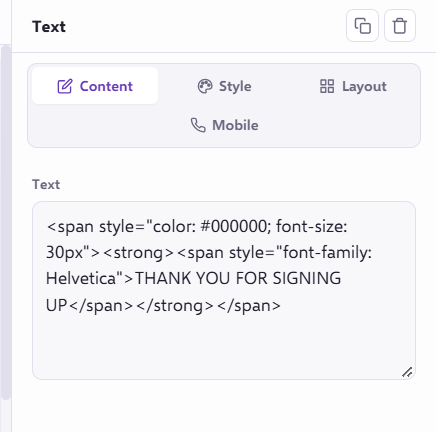
This will then open up the full HTML code in the text box, where you can make your amendments.
To save your changes, make sure you click on the 'Save' icon in order to save and view your changes:
If you have any problems editing your Landing page template, please contact us via the live chat!