
If you wish to remove you old landing page from the internet and want to retain any SEO credibility or redirect users to the current campaign you may add a 301 redirect.
You may also edit a 301 redirect at anytime using this same approach.
To begin, open the landing page main list page. Find the landing page you wish to un-publish, click the 3 dots (...) and select 'unpublish'.
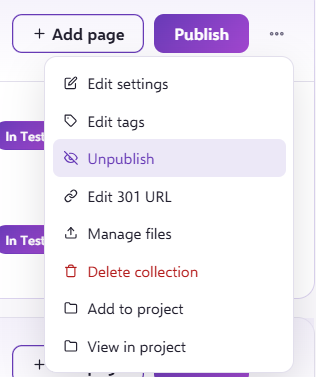
The system will give you a list of the current live locations of the published landing page, this will include test locations.
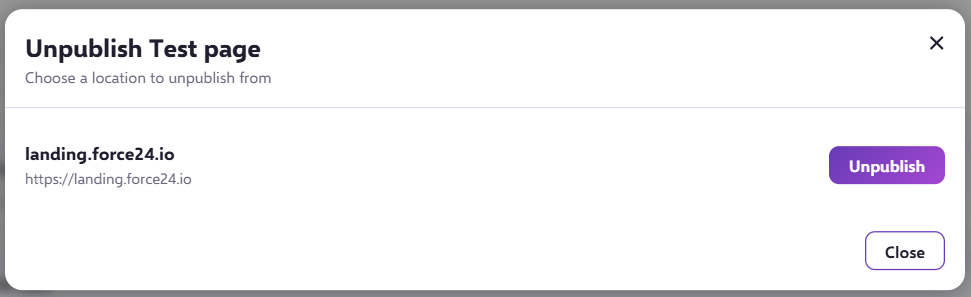
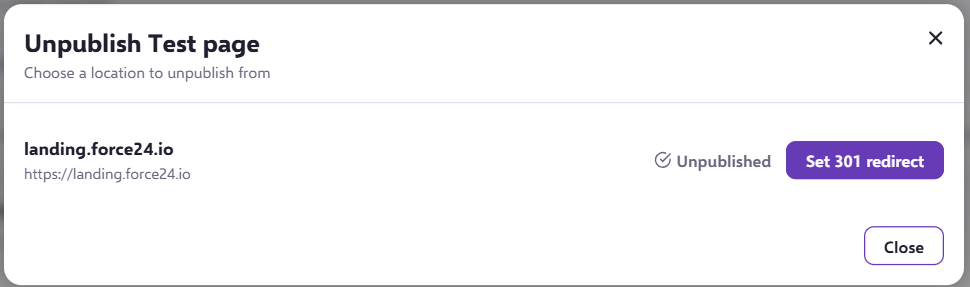
Once you have unpublished the landing page from the location selected you will be given the option to set the 301 redirect. Click 'set 301 redirect'.
The 301 redirect box will appear. If no 301 is set the message will display as below.
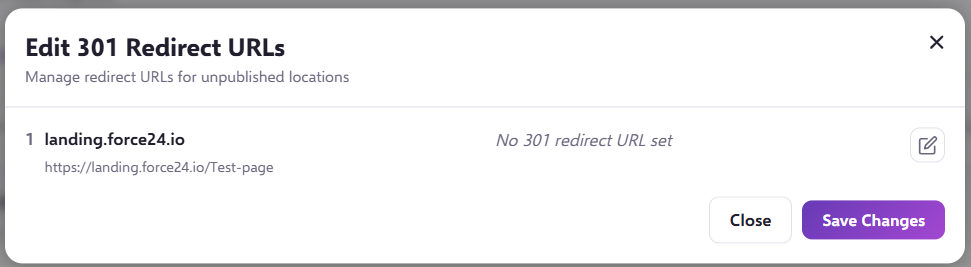
To edit, simply click the pen icon.

And supply the URL of the 301 redirect. You may link to any URL you wish.
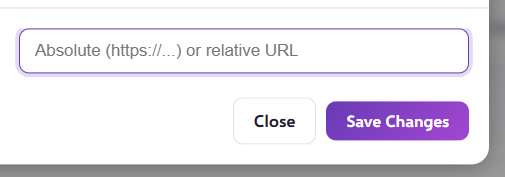
Once you have entered the URL you may click Save Changes, the URL will now be displayed in the box. To finish and activate your 301 redirect you must now click SAVE.
To EDIT an existing 301 redirect
To edit you may select the 3 dots on the landing page you wish to edit.
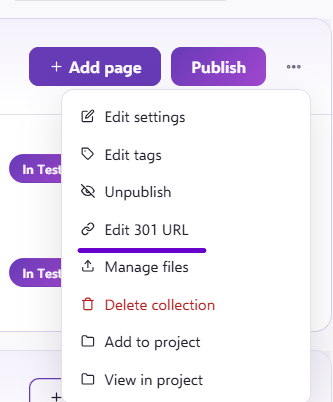
This will open the 301 redirect box, where you may edit the URL currently in place.
To commit the changes you must Save.
PLEASE NOTE: Your 301 redirect will cease to exist if you delete the landing page from the system.
You do not need to publish the landing page for the 301 redirect to take effect.
If you have any questions, feel free to reach out to us through the live chat function available at the bottom right, in your Force24 Platform. Our team is ready to assist you and provide support whenever you need it.