
Giving your customers the option to opt out of specific marketing communications helps maintain engagement while respecting their preferences. When a recipient clicks unsubscribe, you can offer distinct preference options such as Newsletters, Events, or Promotions.
Setting up sub-preferences
- Click the Settings button on the left-side navigation:
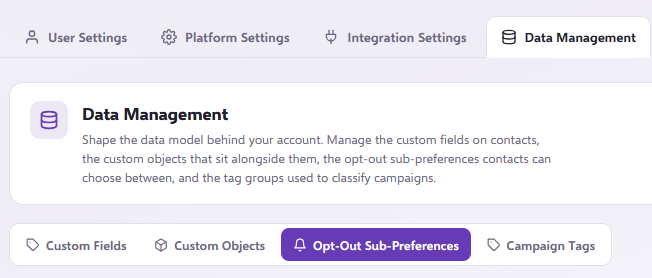
- Go to the Opt-Out Sub-Preferences section under Data Management:
- Click the Add Preference button to add your first sub-preference:
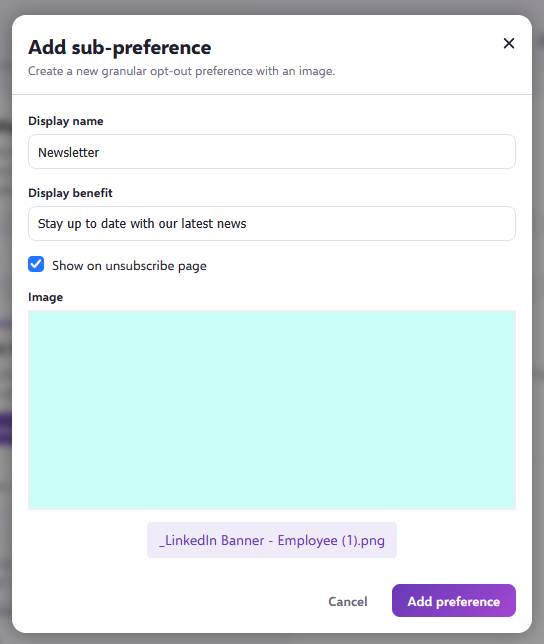
- In the popup box, enter the name of the category (such as "Newsletter"), and enter a brief description of the type of communication (for example, "Stay up to date with our latest news").
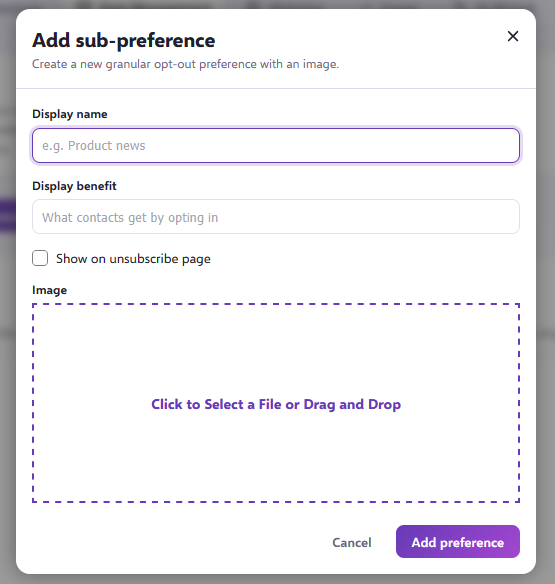
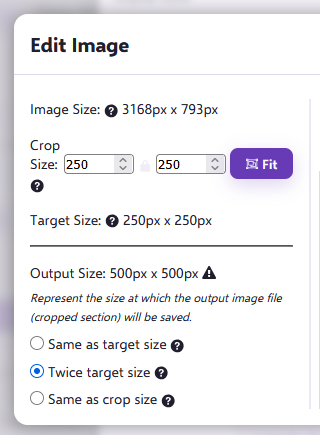
- Include an image for each preference by dragging and dropping or selecting an image file. Ideal image proportions are around 250px by 250px. Once uploaded, image sizing can be adjusted using the on-screen controls:
- Toggle Show On Unsubscribe to Yes at the bottom if you want this option visible when contacts click unsubscribe:
How sub-preferences appear to contacts
When Show On Unsubscribe is set to Yes, contacts who click the unsubscribe or manage preferences links in your emails will be taken to a preference page:
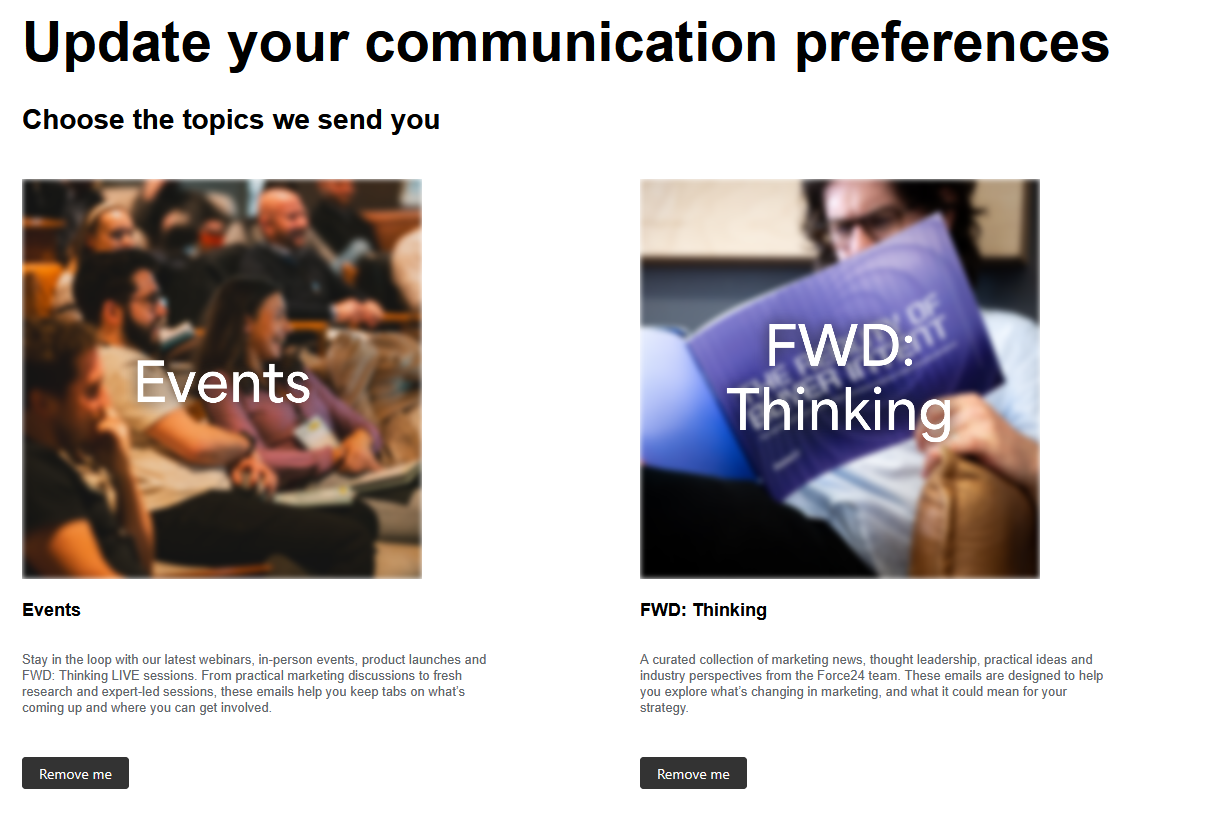
From this page, contacts can choose to opt out of specific communication types rather than unsubscribing from all marketing messages entirely.
Viewing contact preferences and campaign stats
If a contact opts out of a specific sub-preference, this status will be displayed directly within their contact profile:
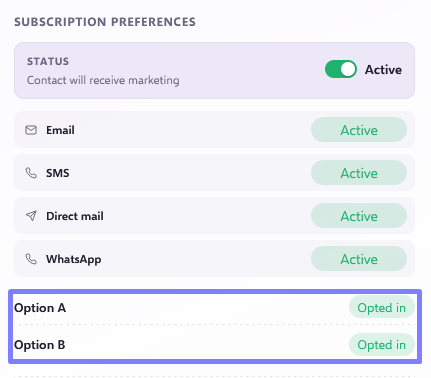
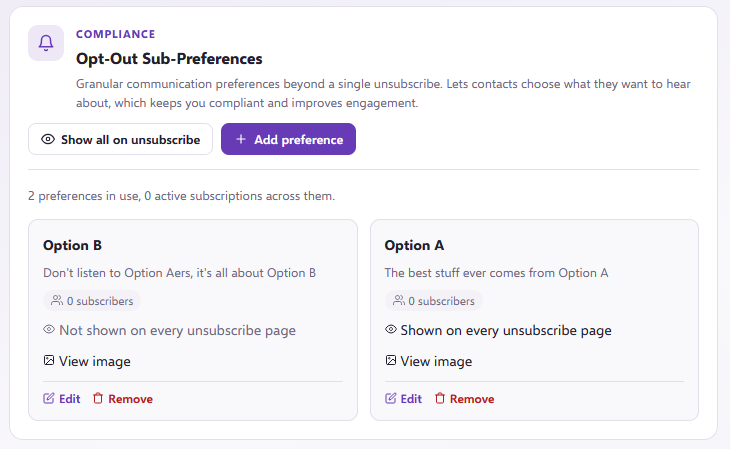
You can also review your Opt-Out Sub-Preferences list in Account Settings at any time to see the total count of contacts who are subscribed to each category:
Applying a sub-preference to a campaign
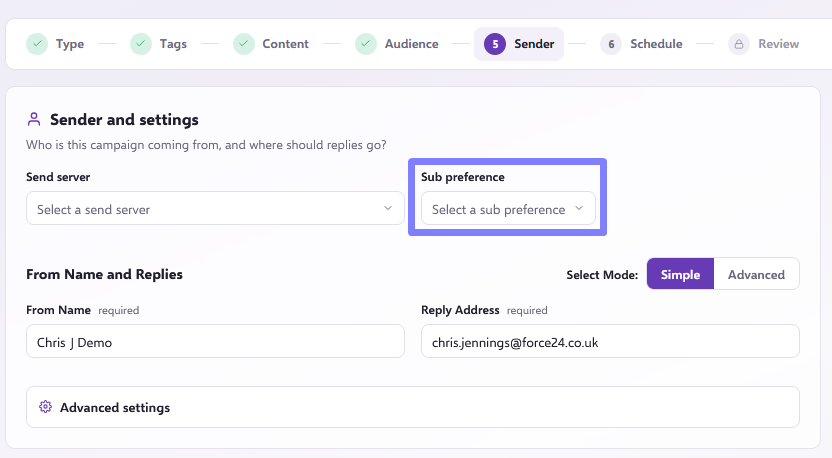
To apply a sub-preference to an outbound email campaign, select the relevant category on the send setup screen. Learn more in our How to send a single email campaign article.
Need further assistance?
If you have any questions, email Force24 support at support@force24.co.uk which will open a support ticket for you, or reach out through the live chat function in the bottom right of your platform.