
The Email Deliverability Report gives you all of your monthly deliverability metrics in one place. This article shows you how to open it and explains what each part of the dashboard tells you.
How do I view my monthly report?
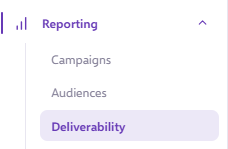
- Click the Report > Deliverability in your navigation.
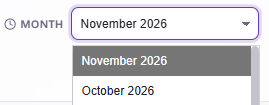
- Select the month you want to view.
You can now see all of the key deliverability metrics for your full account, for the month you selected.
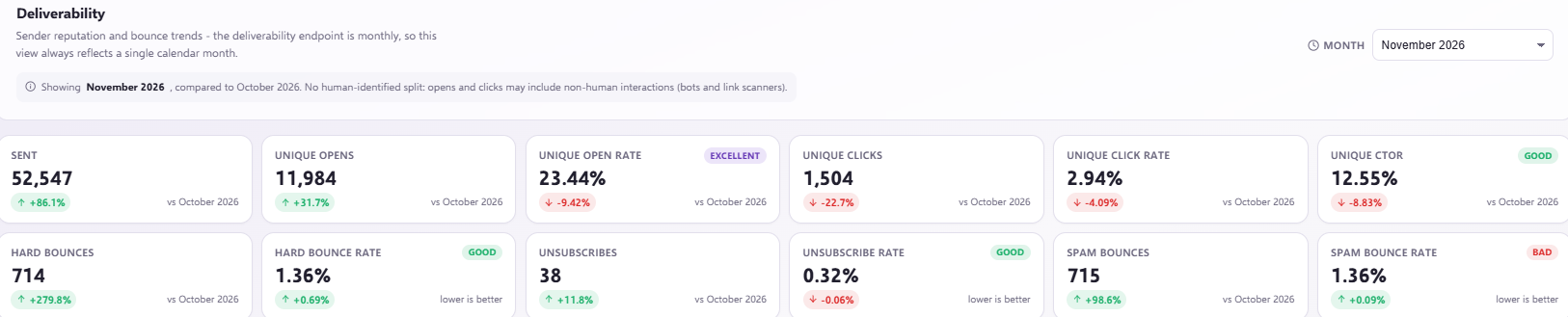
What do the metrics mean?
- Sent: how many emails were sent that month.
- Unique opens: individuals who have opened a campaign.
- Unique open rate: unique opens as a percentage of the total emails delivered.
- Unique clicks: how many individuals have clicked a campaign.
- Unique click rate: unique clicks as a percentage of the total unique opens.
- Unique CTOR: unique click to unique open rate.
- Hard bounces: permanent bounces, for example where the email address is no longer in use or doesn't exist.
- Hard bounce rate: hard bounces as a percentage of the total emails sent.
- Unsubscribes: individuals who have unsubscribed from an email campaign.
- Unsubscribe rate: unsubscribes as a percentage of unique opens.
- Spam bounces: the rejection of emails by email servers due to their spam filters.
- Spam bounce rate: bounces as a percentage of the total emails sent.
The dashboard looks at overall statistics, so the metrics in the top right combine all of your email campaigns for that month.
How can I explore my results further?
Send Engagement
You can see the difference between the percentage of active lead score and inactive lead score.
Mailbox Providers
You can also view the statistics by campaign. This can be filtered to specific metrics using the 'Sort by' drop down menu on the right.

Mailbox Providers
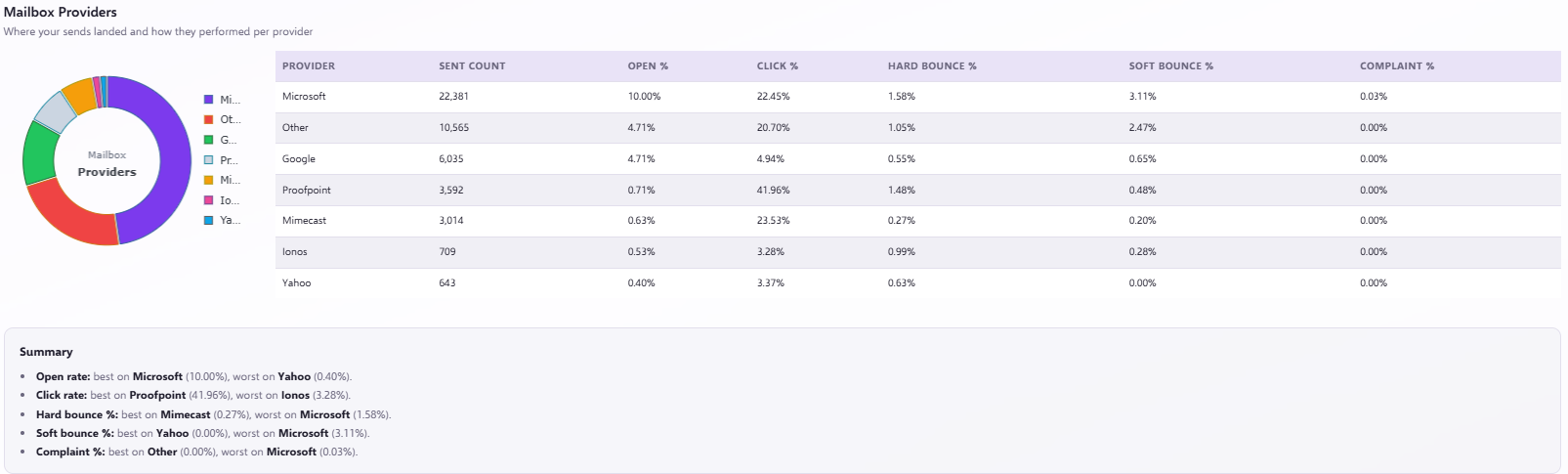
You can also view the statistics by Mailbox Provider. This gives you insight into which providers your customer base uses and how each provider is performing.
Bounces by type
You can also see your bounces split by type. This section includes stats for soft bounces and spam bounces as well as hard bounces.
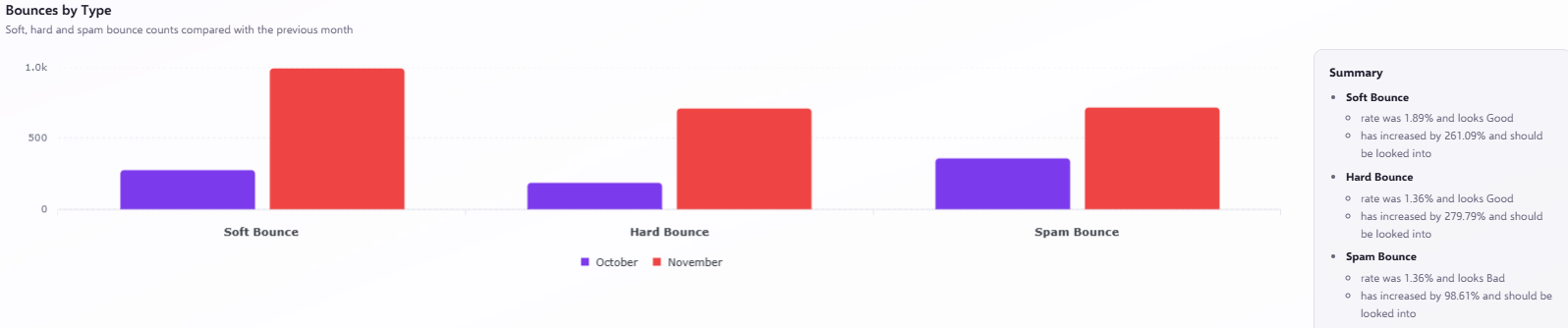
- Soft bounce: a temporary reason why an email couldn't reach the recipient's inbox, for example because the inbox is full.
- Spam bounce: where the Mailbox Provider has rejected the email because it could be spam.
Want to know more about bounces?
If you want a closer look at each type of bounce, learn more in our What is a Hard/Soft/Spam Bounce? article.
Want to improve your deliverability?
If you want tips on improving your results, learn more in our Deliverability Best Practice article.
Need a hand?
If you have any further questions about deliverability, or want to find out more about how we can help you improve it, reach out to us on live chat using the chat bubble at the bottom right of your Force24 platform, or book a session with our training team.