
Sales Users have a restricted view of Force24, designed for people who need to look at contact information without working in the rest of the platform. This article explains what Sales Users can and cannot access.
Please note
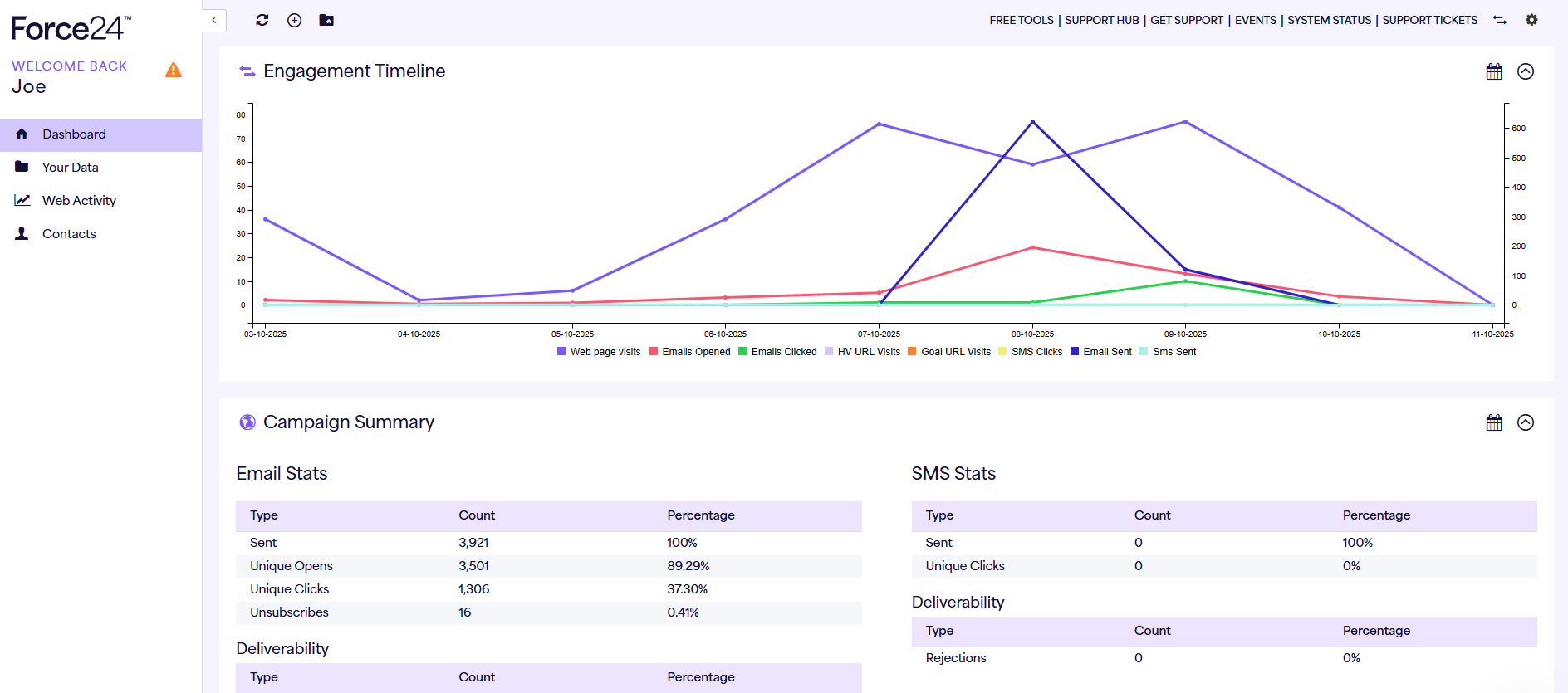
Sales access within Force24 is a restricted, read-only view. Sales Users will only see the limited sections shown in the screenshot below, not the full platform.
What can Sales Users see?
When a Sales User logs in, their view of the platform looks slightly different from that of a standard Marketing User. They have access to the following key areas:
- Dashboard: displays key performance insights, such as overall stats and engagement metrics. Campaigns and templates are not visible to Sales Users.
- Segments: view and search through the Segments available.
- Web Insights: view individual contact records, including website interactions and engagement details.
- Contacts: access and review contact profiles, and perform contact search queries.
What can Sales Users not access?
Sales Users do not have permission to view or edit:
- Account Settings
- Applications
- Connections
- Campaign and Automated Campaign reports
- Data Upload
- The design areas of the platform, which are Email Builder, Landing Page Editor, Form Builder and Pop-Up Editor
- Journey Manager
- Website Management
- Email Deliverability Report
Need a user to manage campaigns?
If your team needs a user to manage campaigns, templates or account level configurations, they will need a FULL Marketing User role instead.
Want to add or change users?
To add new Sales Users, or to request any changes to your team's user types, reach out to us using the live chat in the Force24 platform, or email Force24 support at support@force24.co.uk which will open a support ticket for you.