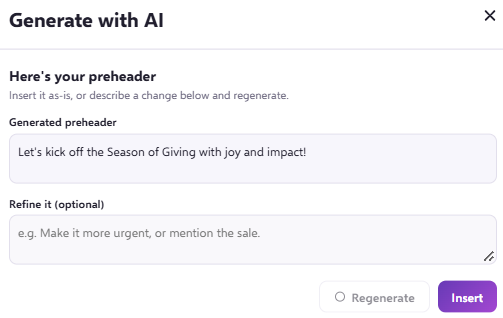
Your AI assistant can generate a pre-header based on your email content and the brand information you have provided. You can regenerate the pre-header and prompt changes as many times as you need.
Haven't trained your AI assistant yet?
If you want to teach your AI assistant about your brand, learn more in our Training your AI assistant article.
How do I find the AI assistant for pre-headers?
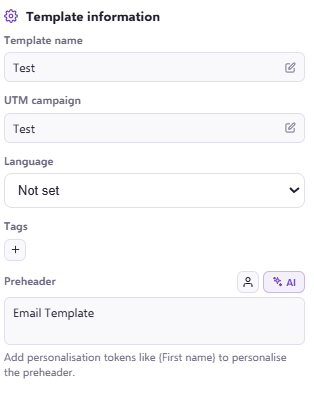
Open your email template. When you reach the step where you enter your pre-header settings, you will see an AI icon option:
How do I generate a pre-header?
When you click the AI icon, a message asks whether you are happy to generate the pre-header with AI cedit:
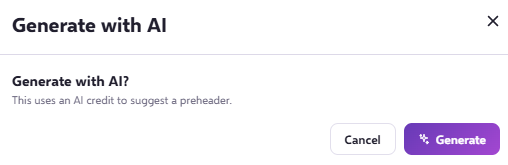
Click Generate, and the assistant will create the most appropriate pre-header based on the information it has collected. If you are happy with the result, click Insert:
How do I change the generated pre-header?
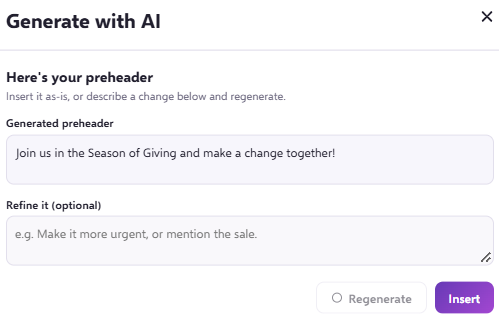
If you would like to adjust the pre-header, you can enter a prompt such as 'make it more fun' and click Regenerate. The assistant will then give you a new pre-header that makes it less formal. For example: