
The AI uploader has been created to help rectify issues with previously uploaded templates, ensuring they become fully Force24 compatible and editable.
To access this feature, you may need to log out and back in again. It is located in the email template upload section, following the standard template upload route, with an additional option to upload using AI to fix formatting issues.
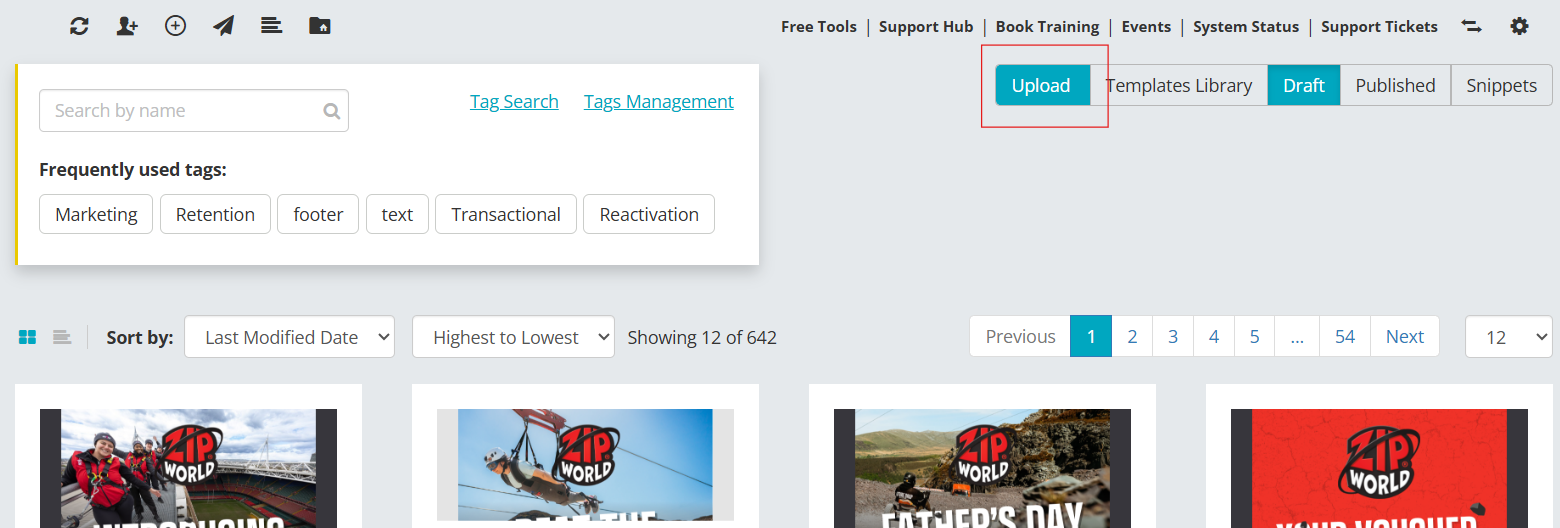
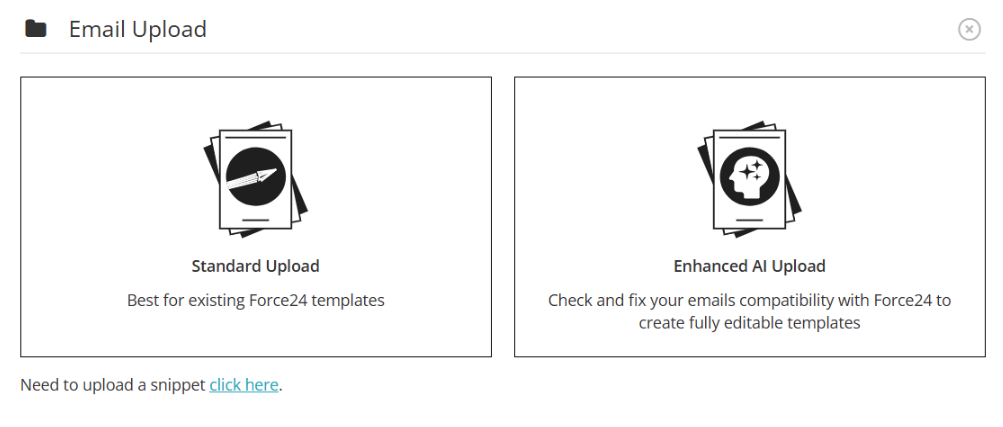
Using the Enhanced AI Upload
To use this feature, select the Enhanced AI upload option.
This allows AI to reformat the template to fit Force24 standards, ensuring all editing functions are available, such as layout mode, CTA editing, table padding, and colour adjustment controls.
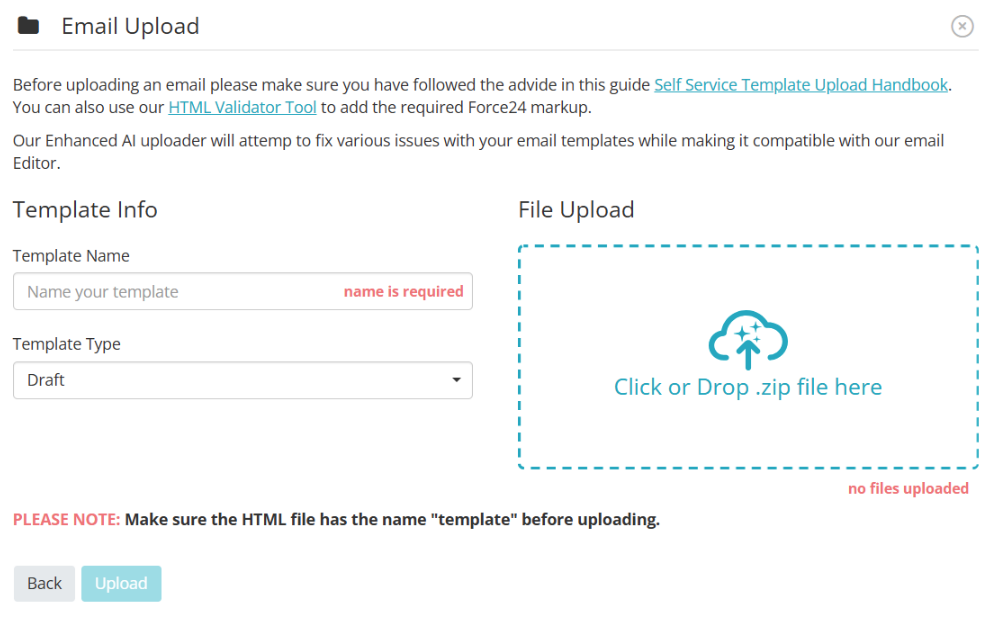
- Select Enhanced AI upload.
- Drag and drop your .zip file into the upload zone (or click to select the file).
- Enter a template name and select the target folder location.
- Click Upload to process and optimize the template for compatibility.
Important
The AI uploader can enhance external templates, but if a file cannot be unzipped or does not meet basic file requirements, the upload will fail. Please refer to our Self Service Template Handbook for full layout and structure requirements.
Need further assistance?
If you have any questions, email Force24 support at support@force24.co.uk which will open a support ticket for you, or reach out through the live chat function in the bottom right of your platform.