
The Contacts page and automated Segment conditions feature an AI builder that allows you to simplify your workflow and speed up building queries.
Building queries with AI prompts
To use the feature, simply describe the contacts you would like to return in plain English, such as

Alternatively, you can click on the prompt chips provided above the text area to select pre-made queries that you can adjust to your needs:

Using pre-made chips and account items
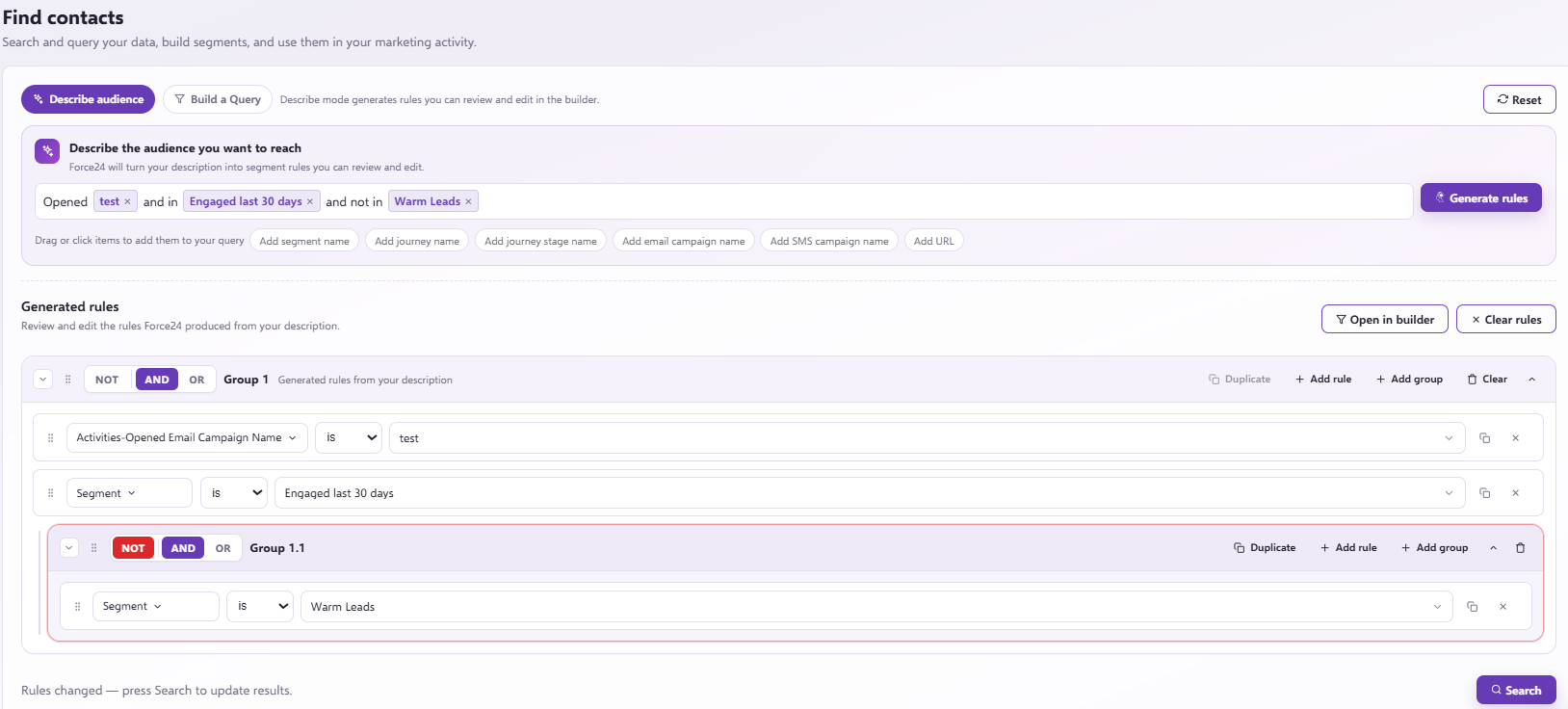
Using a pre-made chip along with additional text can create more complex queries.
This shows us wanting contacts who match this criteria:
- Opened the email campaign 'test'
- AND are in the marketing list 'Engaged last 30 days'
- AND NOT in the marketing list 'Warm leads'
Once you have chosen the criteria click 'Generate rules', this will allow you to see the query the system will run and allow you to alter if needed.
Need further assistance?
If you have any questions, email Force24 support at support@force24.co.uk which will open a support ticket for you, or reach out through the live chat function in the bottom right of your platform.