
To enable the Password Expiration Policy, click the Settings tab in the top right corner and click 'Platform Settings' > 'Access & Security and scroll down to the 'Password Policy' section:
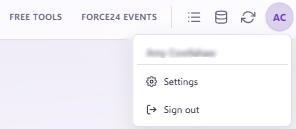

Clicking the toggle enables the Password Expiration Policy and allows you to specify the reset password interval in days for users (for example, every 30 days).
Password policy requirements
The password policy enforces the following parameters:
- Must be 8 or more characters in length.
- Must contain at least one upper case letter.
- Must contain at least one lower case letter.
- Must contain at least one number or special character.
- Account locks after 5 incorrect login attempts.
- If enabled, passwords expire and must be changed after the specified number of days.
Important
Please note that password expiration and policy settings will only apply to newly created users rather than existing users.
Need further assistance?
If you have any questions, email Force24 support at support@force24.co.uk which will open a support ticket for you, or reach out through the live chat function in the bottom right of your platform.