
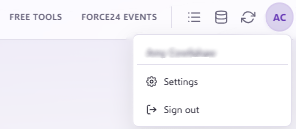
To manage user permissions in Force24, click the Settings tab on the right-hand menu:
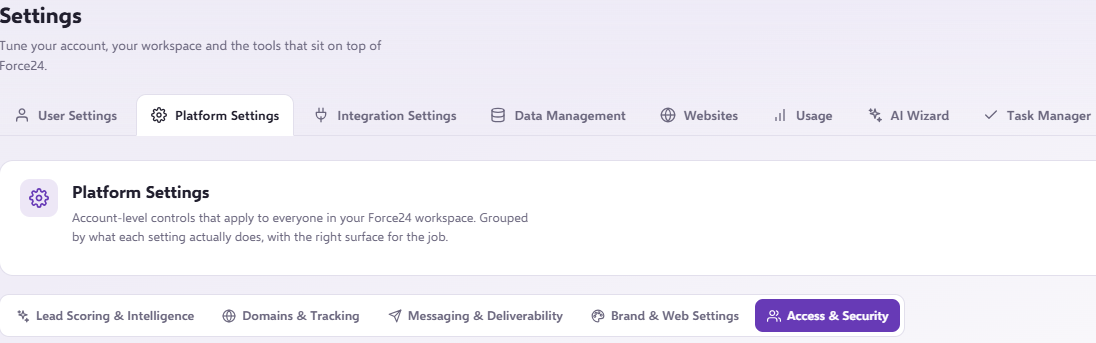
Navigate through Settings > Platform Settings > Access & Security and then scroll down.
Important
You must be a master user to edit the permissions of another user.
Managing user options
To edit a user's settings or preferences, click the three dots to the right of that user and select your desired option:
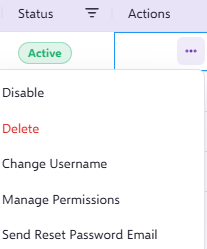
- Disable: Disables the user so they can no longer access the portal.
- Delete: Removes the user completely so they no longer appear in the User Management section.
- Change Username: Allows you to modify the user's login username.
- Manage Permissions: Allows you to update specific feature permissions, including uploading contacts, approving email or SMS campaigns, starting or stopping journeys, and changing system settings.
- Send Reset Password Email: Triggers a password reset email to the address associated with that user.
Need further assistance?
If you have any questions, email Force24 support at support@force24.co.uk which will open a support ticket for you, or reach out through the live chat function in the bottom right of your platform.