
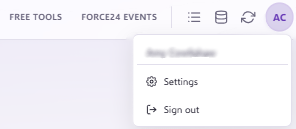
To disable or delete a user in Force24, click your Settings tab in the top right corner of the platform:
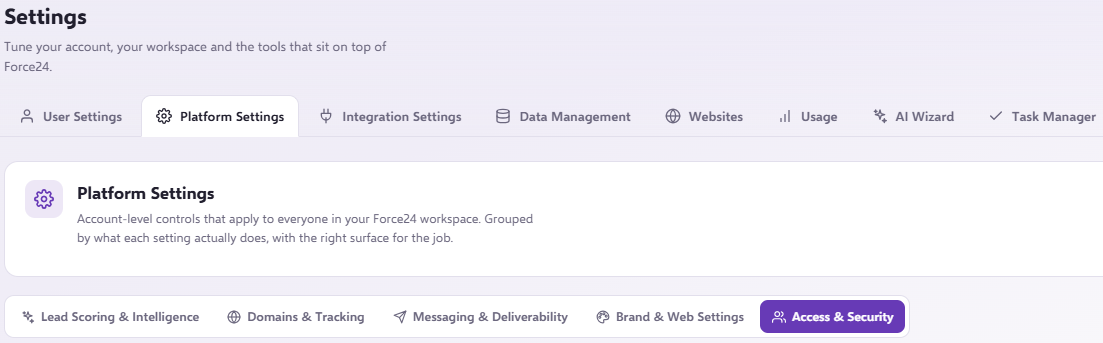
Navigate through Settings > Platform Settings > Access & Security and scroll down to User Management.
Important
You must be a master user to delete or disable a user.
Disabling or deleting a user
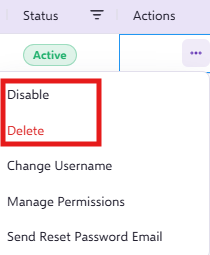
Click on the three dots on the far right of the user you wish to disable or delete, then select your chosen option from the menu:
Important
If you disable a user, you can reenable them at a later date. However, if you delete a user, they will be removed entirely from the User Management section and cannot be recovered or reenabled.
Need further assistance?
If you have any questions, email Force24 support at support@force24.co.uk which will open a support ticket for you, or reach out through the live chat function in the bottom right of your platform.