
You can use the Industry Insights page to analyse the social media activity of your competitors.
It shows you the peak sharing times of other companies, as well as the common hashtags and topics mentioned in their content. We recommend using it to inform your own posting activity and schedules.
How do I find Industry Insights?
In SoAmpli, you can find the Industry Insights option in the top toolbar.

Please note
To use Industry Insights properly, you need to have either a LinkedIn or Twitter company page linked in your account.
How do I add accounts to follow?
- Click the + icon in the top right.

- Type the name of any account you want to follow, for either LinkedIn or Twitter accounts.


- Click Create Insights. A window should appear showing any accounts that were found.

- Select the relevant account and it is added to your Following list.

What can I see for each account?
Analysis
Click See Account to open the Analysis tab for that account. Here you will see a number of reports on the account's sharing and posting activity, including popular hashtags and topics mentioned.


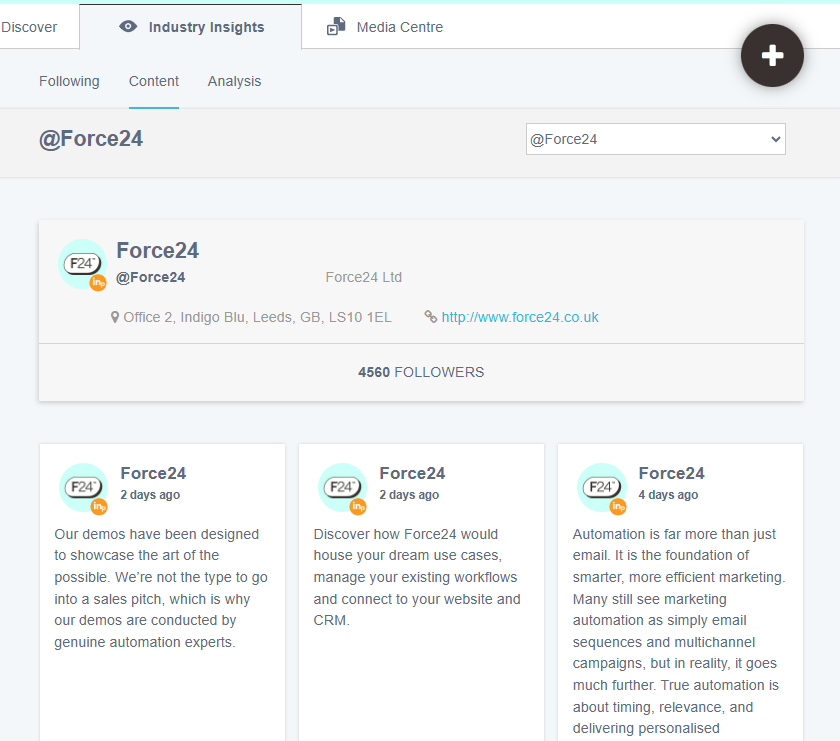
Content
For further insight, open the Content tab to view the actual content the account has been posting.
Need a hand?
If you have any questions, reach out to us on live chat using the chat bubble at the bottom right of your Force24 platform. Our team is happy to help.